If you’re a bride planning your wedding announcements for Instagram, Pinterest, or Facebook, choosing the right script font duo matters more than you might think. A well-paired set one elegant script for names and a clean supporting font for details makes your post feel intentional, polished, and personal. It’s not about fancy design skills; it’s about clarity, tone, and consistency across platforms where people scroll fast and decide in seconds.
What does “elegant script font duo” actually mean?
An elegant script font duo is two fonts that work together: one flowing, hand-lettered-style script (like something you’d see on a calligraphed invitation), and one simple, legible font usually sans serif or a refined serif to handle dates, locations, hashtags, or other practical text. The script carries the emotion; the second font grounds the message. You’re not looking for two scripts or two decorative fonts that creates visual noise. You want contrast that feels balanced, not busy.
When do brides use this pairing?
Brides use elegant script font duos when designing social media announcements like engagement reveals, save-the-dates, wedding day previews, or thank-you posts. These aren’t printed stationery they’re digital, often viewed on phones, sometimes cropped or resized by algorithms. That means readability at small sizes and fast loading matter just as much as beauty. A popular example: using a delicate script like Allura for “Emma & James” paired with Montserrat for “Saturday, October 12, 2024 • The Willow House • Portland, OR”.
What’s the most common mistake brides make?
Picking a script font that’s too thin, too tight, or overly ornate and then pairing it with another decorative font. On mobile screens, fine hairlines disappear, letters run together, and readability drops. Another frequent issue: using the same script font for both names and body text. Script fonts aren’t built for long blocks of text. They’re meant to highlight not explain.
How do you pick fonts that actually work together?
Start with the script. Look for one with clear letterforms, open counters (the enclosed spaces inside letters like ‘o’ or ‘e’), and consistent spacing. Then choose a supporting font with similar x-height (the height of lowercase letters) and neutral personality no strong quirks or extreme weights. Avoid fonts that compete for attention. If your script has high contrast between thick and thin strokes, pair it with something modest and even, like Playfair Display or Lora. You’ll find more examples of these thoughtful combinations in our guide to font pairing combinations for wedding announcement social media posts.
Where can you find trustworthy script fonts for this use?
Stick to reputable sources that offer web-safe or OTF/TTF files with clear licensing for digital use. Free Google Fonts are convenient but limited in elegant script options most lack the refinement needed for bridal content. Paid marketplaces like Creative Market or Creative Fabrica often include usage notes, alternate characters, and stylistic sets that help your text look custom, not generic. For inspiration on how handwritten styles support brand voice beyond weddings, check out how boutique fashion brands approach handwritten font pairing styles.
Can you test your font choice before posting?
Yes and you should. Paste your full announcement text into Canva or Adobe Express using your chosen fonts, then zoom out to 25% or view it on your phone. Ask yourself: Can you read the location and date without squinting? Do the script letters stay distinct, or do they blur together? Does the whole thing feel light and joyful or heavy and fussy? If you’re unsure, try swapping the supporting font first it’s usually the faster fix. And remember: you’re already on the right page if you’re looking for an elegant script font duo for social media announcements this exact focus helps avoid decision fatigue later.
Next step: Open your draft announcement in your design tool, apply one script font to the couple’s names only, and pick a clean, readable font for everything else. Test it on your phone screen. If it reads clearly within three seconds, you’re ready to post.
Get Started Elegant Font Pairings for Wedding Announcements
 Modern Script Flourishes with Clean Sans-Serif Style
 Autumn's Cozy Blend: Serifs with Hand-Drawn Script
 Sophisticated Font Pairings for Pinterest Graphics
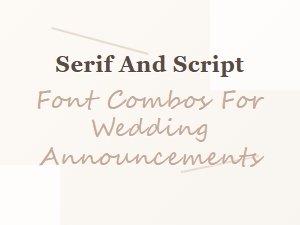 Serif and Script Font Combinations for Weddings
 Professional Font Pairing Rules for Minimalist Aesthetics